
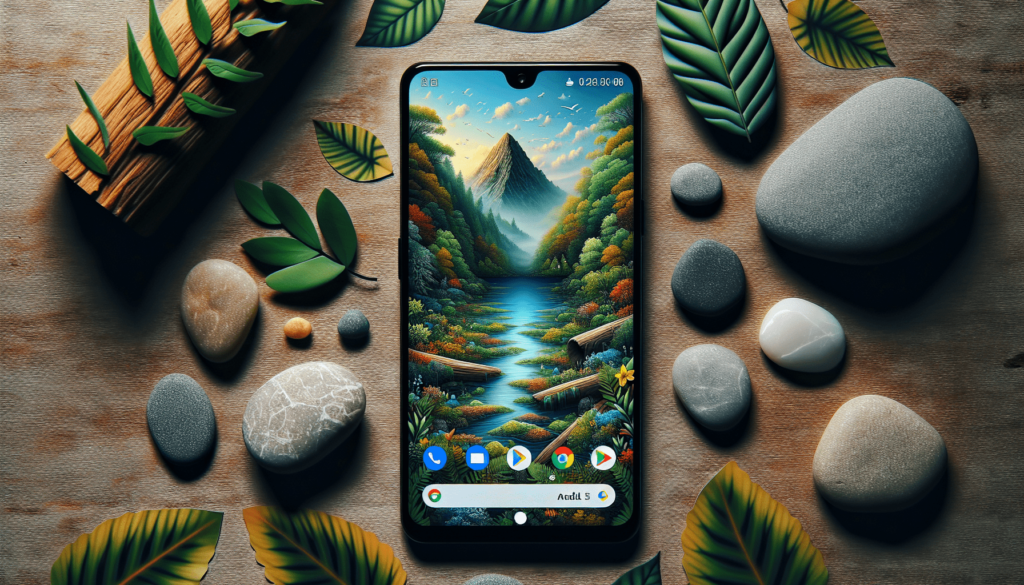
The best nature-inspired Android themes in 2026 are: the Borealis icon pack for aurora-glow looks, the Forest – Green icon pack for woodland palettes, Backdrops and Resplash for real nature photography, KLWP and Muzei for subtle motion, and the built-in AI wallpaper generators on Pixel and Galaxy phones. Every pick below was checked on Google Play in 2026 — dead apps and generic filler are gone, and each verdict states real trade-offs.
In short: the top three
- Best aurora / night-sky look: Borealis – Icon Pack (paid, 31,000+ icons, actively updated).
- Best real nature photography on your home screen: Resplash (free, 1M+ Unsplash photos, auto-rotate) — pair it with Muzei for gentle daily rotation.
- Best way to build your own living landscape: KLWP Live Wallpaper Maker — or skip apps entirely with the on-device AI wallpaper generator on Pixel 8+ and Galaxy S25+.
What the theme controls, and what the launcher controls
A theme decides colour, wallpaper, and icon art. A launcher decides layout, gestures, the app drawer, and whether third-party icon packs can load at all. A bundled theme like Nature Launcher Theme does both jobs in one tap. Judge them separately before you install either, because most disappointment comes from buying the wrong half.
Why nature themes matter in 2026
Android 15 and 16 turned wallpaper into the theme engine. Material You extracts your whole UI palette from the wallpaper, and “themed icons” now reach most major apps, so a single nature photo sets the colour of menus, toggles, and notifications. On-device AI wallpaper generation (Pixel 8 and later, Samsung’s Galaxy AI on One UI 7/8) means you can now type “misty pine forest at dawn” and get a unique background in seconds — no app, no subscription, generated locally. The catch: live wallpaper and third-party icon packs still need a launcher or a battery budget, and the 2025 collapse-and-rescue of Nova Launcher showed why it pays to check whether a launcher is still genuinely maintained. This list reflects that reality: verified apps only, with prices and trade-offs stated.
Why the icon pack does more work than the theme bundle
Icons sit on your home screen all day, so they carry the look harder than any wallpaper. An icon pack themes hundreds of apps at once and holds its own consistency. A theme bundle mostly recolours what the pack already drew. Spend your money on the icons first.
The verified picks
1. Borealis – Icon Pack
Price: Paid, about US$4.50 one-time. Verdict: The best way to get the “northern lights” home screen that older articles promised but never actually linked to; frequent updates keep coverage current. Best for: anyone who wants an aurora or night-sky aesthetic with near-complete app coverage.
Borealis by unvoid is the strongest aurora-inspired icon pack on the store: 31,000+ hand-drawn icons in soft green, teal, and violet gradients that look genuinely lit from within on dark wallpapers.
2. Forest – Green Icon Pack
Price: About US$1.50 one-time. Verdict: Modest icon count but uniform, and still updated (latest build mid-2025). Best for: a forest-green, dark-mode-friendly home screen at a bargain price.
A shapeless black-and-green icon set with 3,000+ icons at 256px resolution, from GomoTheGom — the developer’s “Dark” series. It delivers the woodland-green look cleanly: no clipping, consistent foliage tones, and alt icons for common apps.
3. Nature Launcher Theme (Sparx)
Price: Free. Verdict: Dated art style and it pushes Sparx’s own launcher rather than working with everything, but it is the quickest zero-effort full theme here and it is still being updated. Best for: a one-tap complete nature theme if you do not want to assemble icons and wallpapers yourself.
The closest thing to the old “all-in-one nature theme” idea: green-tinted icons, bundled HD nature wallpapers, a matching lock screen, and 3D transition effects, all applied in a couple of taps.
4. Backdrops – Wallpapers
Price: Free with ads; Pro subscription (or Play Pass) removes ads and unlocks collections. Verdict: Reliably tasteful, though recent reviews note some AI-generated images have crept in without labels — browse before you save. Best for: polished, editorial-style nature and scenery wallpapers that stay readable under icons.
Backdrops has 5M+ downloads and a 4.6 rating for good reason: curated, cohesive collections (scenery, minimal, AMOLED-dark, nature photography) with daily additions and a clean Material You UI.
5. Resplash – Wallpapers
Price: Free; optional in-app purchase for Pro extras. Verdict: The best source of genuine nature photography, with the honest caveat that it needs a network connection and its store rating (3.5) reflects occasional loading bugs. Best for: photo-real nature backgrounds, especially with automatic daily rotation.
Resplash pulls 1M+ photos from Unsplash — real photographers, real forests, oceans, peaks, and deserts in full resolution — with an auto-changer that rotates your wallpaper on a schedule, plus Muzei integration.
6. KLWP Live Wallpaper Maker
Price: Free with ads; about US$4.50 one-time for Pro. Verdict: Steep learning curve, but the community preset library (much of it free on Reddit’s r/kustom) means you can import a finished forest or ocean scene without building one; Pro is required to import presets. Best for: people who want a genuinely animated, personalised nature home screen.
KLWP (Kustom Industries) is the power tool of live wallpapers: a visual editor that layers animated trees, drifting clouds, ocean ripples, or aurora gradients over live data like time, weather, and battery.
7. Muzei Live Wallpaper
Price: Free and open source. Verdict: Near-zero battery cost because it is a static blurred image, not video; honest caveat that maintenance slowed (last update in 2024) and it is best treated as a mature, stable tool. Best for: a calm, changing nature backdrop without animation or battery drain.
Muzei softly refreshes your wallpaper daily with famous art — or your own nature photos — and blurs and dims the image so icons stay legible.
8. Lawnchair 15
Price: Free and open source. Verdict: The cleanest maintained free launcher after Nova’s messy 2025-2026 ownership changes; still labelled beta, so expect occasional rough edges. Best for: applying nature icon packs with modern Material You theming, free of ads.
This is the launcher you need to actually apply icon packs like Borealis or Forest on most non-Pixel phones. The 2025 “Lawnchair 15” beta is a full rewrite with Material You theming, rich grid options, and — usefully — it can import Nova Launcher backups, including your chosen icon pack.
9. Built-in AI wallpapers (Pixel and Galaxy)
Price: Free, already on your phone. Verdict: Genuinely the lowest-effort nature theme of 2026, with the limit that it is hardware-specific and prompts steer toward Google and Samsung’s curated styles. Best for: Pixel and Galaxy owners who want a unique, generated nature wallpaper with zero app installs.
If you own a Pixel 8 or newer, Wallpaper & style > AI wallpaper generates scenes from prompts on-device — “calm lake at sunrise,” “rainforest canopy” — in seconds, in your screen’s exact resolution, with no internet needed. Samsung’s equivalent arrived with One UI 7 and 8 (Galaxy AI wallpaper) on the S25 and newer.
10. WallCraft AI – AI Wallpapers
Price: Free with ads/credits; paid generation packs. Verdict: A workable universal AI option, but a typical generic developer — quality varies run to run, and generation needs a network connection, so check recent reviews before spending on credits. Best for: non-Pixel users who want prompt-generated nature art.
For everyone without a Pixel or Galaxy S25, WallCraft generates wallpapers from text prompts using DALL-E 3, which handles “misty fjord,” “wildflower meadow,” and “desert dune at dusk” convincingly.
Updates, and apps that ignore your theme
Themed icons only cover what the developer has drawn. A new app, or one that never joined the set, shows its own logo and quietly breaks the row. Regular updates close those gaps, but a launcher update can also reset the way icon masking behaves. Check the last update date on the store page before you depend on a pack.
Is a paid icon pack worth it?
A paid pack is usually a one-time purchase, and the money buys consistent art, alternate icons for awkward apps, and a developer with a reason to keep drawing. Free packs can be excellent, but coverage gaps and abandoned pages are common. Pay only after you have checked that the pack was updated recently.
How to choose the right nature theme
Start with your source image, not the app. If you want realism, pull a high-resolution photo from Resplash or your own camera roll; if you want illustration, browse Backdrops or Walli-style artist collections; if you want a specific biome’s mood — ocean, mountain, desert, aurora — search for it by keyword and let Material You do the colour work.
Then decide on motion. Static wallpapers cost nothing and play best with Material You’s colour extraction. Live wallpapers (KLWP, Muzei, or bundled video loops) add life but consume battery and can fight with your launcher’s animations; Muzei’s blur-and-dim approach is the battery-friendly middle ground.
Icons are where the look either lands or falls apart. Stock launchers on many phones refuse third-party icon packs, so plan on Lawnchair (free), Nova, or Samsung’s Theme Park. Nova changed hands in late 2025 and newer builds introduced ads and extra trackers — Lawnchair 15 is the safer default today. Finally, apply the same wallpaper to lock and home screens, enable themed icons in Wallpaper & style, and test in both light and dark mode before committing.
Contrast, and who gets left out
Monochrome and dark green palettes look calm, then disappear against a busy wallpaper. Thin icons over a photo of leaves turn into guesswork. Material You will happily build a low-contrast scheme if the wallpaper asks for it, which is why the wallpaper matters as much as the icon pack. Turn on bold text, check your toggles in bright sunlight, and keep a quiet patch of the image behind your icons.
Live with one theme for a week
Install one theme, not five. Live with it for a week before you buy anything else, and note what irritates you: the icon you cannot find, the shade you cannot read, the animation that stutters. A coherent home screen you stop noticing beats a clever one you fight every day.
FAQ
Do nature-themed live wallpapers drain the battery?
Yes, more than static ones — continuous animation keeps the GPU awake. Subtle tools like Muzei (a blurred still that changes daily) add almost nothing, while KLWP’s impact scales with how much you animate. If battery matters, use a static photo and let Material You carry the theme.
Can I use these icon packs without a third-party launcher?
Often not. Most stock launchers, including the Pixel Launcher, do not support applying third-party icon packs. Options: install a free launcher like Lawnchair 15, use a theme app that bundles its own launcher (Nature Launcher Theme from Sparx), or on Samsung phones apply icon packs through Good Lock’s Theme Park.
Which apps are genuinely new for 2026?
On-device AI wallpaper generation is the big one — Pixel (Android 15/16) and Samsung Galaxy AI wallpapers arrived and matured after 2024. Lawnchair 15’s rewrite is new in 2025, and Borealis has grown into the definitive aurora icon pack through 2025-2026 updates. Several older names were also removed from this roundup because they died or were never real, linkable products.
Do AI-generated nature wallpapers cost anything?
On Pixel and Galaxy phones, no — generation runs on-device and is free. Standalone apps like WallCraft AI give a few free generations and then sell credits or subscriptions, which adds up if you generate often. Try the built-in generators first.
Final verdict
The era of fake “nature theme” listicles is over: Android 15/16’s Material You, themed icons, and on-device AI generation mean a nature-inspired phone is now one good photo — or one good prompt — away from a fully coordinated look. For a hands-on setup in 2026: generate or download a striking landscape (built-in AI tools, Resplash, or Backdrops), apply Borealis or Forest icons through Lawnchair 15, and add KLWP or Muzei only if you genuinely want motion. That combination is free to cheap, looks intentional, and stays maintainable.
Disclosure: Some links in this post are affiliate links. If you buy through them, we may earn a commission at no extra cost to you.
Last reviewed: September 13, 2026
