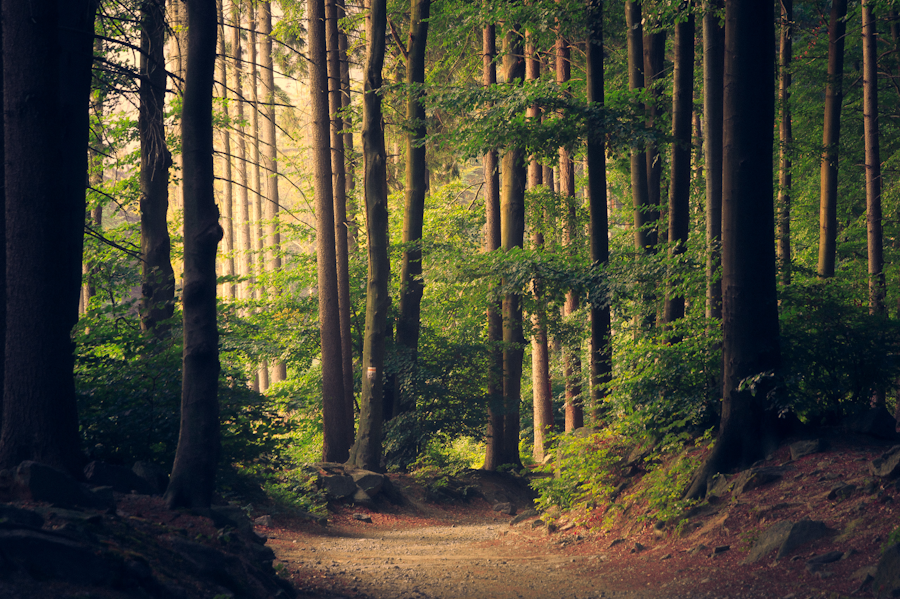
The quick answer for 2026: a nature-themed Android is built in four layers — one good nature wallpaper that drives Android’s automatic colour theming, an icon pack or the new system-wide themed icons to match it, a plant, bird, or stargazing companion app that earns the theme a place in your routine, and a photo or focus app to finish it. Most of the apps in our 2024 edition died or were never Android apps; every pick below was re-verified against current Play listings and updates in 2026.
In short: the top 3
- Easiest complete look (free): one nature photo plus Android 15/16’s wallpaper colour theming and auto-themed icons — no third-party app needed, and Pixel and Galaxy phones add on-device AI wallpaper generation.
- Best design upgrade: Walli for artist-made nature wallpapers, Borealis icons if you want an aurora palette, applied with the free Lawnchair 15 launcher.
- Best functional companions: PictureThis for plants, Merlin Bird ID for birdsong, and AllTrails for real trails — the apps that make a nature theme more than decoration.
Why a nature theme is different in 2026
Three things changed since the 2024 version. First, Android 16 (through late 2025) finally themes every icon automatically — even apps whose developers never added a themed version — and brought back icon-shape choices, so one wallpaper recolours the whole interface. Second, AI wallpaper generation moved on-device: Pixel 8 and later, and Galaxy AI on recent Samsungs, create original nature scenes from a text prompt, free and offline. Third, the Play Store removed abandoned apps at scale, so much of the old list is gone or stale. That is why this edition is shorter and every price was re-checked.
The design ideas and the tools that deliver them
1. Let one nature photo theme the whole phone
Before installing anything, check what your phone already does. Set a landscape with the palette you want — deep forest green, ocean blue, desert gold — and Material You extracts the system colours automatically. On Android 16, enable themed icons (Wallpaper & style) and every home-screen icon is recoloured to match, even apps without developer support; the same screen restores icon-shape choices.
Price: Free, built into Android 15/16.
Verdict: The genuinely new 2026 move — the OS now does the coordination most “nature theme” guides ignore.
Best for: Anyone who wants a clean, cohesive nature look with zero apps and zero battery cost.
2. Generate or pick the wallpaper itself
On-device AI wallpaper tools (Pixel 8+, Galaxy AI on One UI 7/8) turn a prompt like “misty pine forest at dawn” into a unique, screen-fitted background in seconds, free and offline. For real art, Walli remains the strongest Android option: wallpapers by paid independent artists, with a genuinely good nature and wildlife category.
Price: AI generators free on supported phones; Walli free with ads, optional premium removes them.
Verdict: Walli holds the best quality-to-library ratio for photographic nature art; AI generators are the fastest route on supported hardware.
Best for: Walli for artist-made scenes; built-in AI for a one-of-a-kind background.
3. Nature icon packs need a launcher that will apply them
Stock launchers (including the Pixel Launcher) still refuse most third-party icon packs, so an icon set needs a launcher that will apply it. Lawnchair 15 — free, open source, with frequent betas through 2026 — is the cleanest current option, and it handles Borealis by unvoid (about US$4.50, updated through 2026): over 30,000 icons in soft green-teal-violet gradients that look like northern lights on dark wallpapers.
Price: Lawnchair free; Borealis about US$4.50 one-time.
Verdict: Worth it if you want a coordinated non-default look; on Android 16, weigh it against the free system-wide themed icons from idea 1, which many people now prefer.
Best for: Anyone who wants a specific nature palette (aurora, forest) across all app icons.
4. Name the plants you walk past
PictureThis is the most accurate and complete plant identifier on Android — 400,000+ species, disease diagnosis, care guides, toxicity warnings — but identification is heavily limited on the free tier and Premium runs roughly US$30-40/year. Two strong free alternatives earned a place since the last edition: PlantNet (free, research-backed; identifications feed citizen science, updated regularly) and Flora Incognita (free with no ads or premium at all, from TU Ilmenau and the Max Planck Institute; focused on wild plants, with offline identification in recent versions).
Price: PictureThis freemium; PlantNet and Flora Incognita entirely free.
Verdict: PictureThis for depth and accuracy if you garden seriously; Flora Incognita is the best free wild-plant option.
Best for: Gardeners (PictureThis), hikers and citizen scientists on a budget (PlantNet, Flora Incognita).
5. Learn the birds and wildlife around you
Merlin Bird ID from the Cornell Lab is free and outstanding: point the microphone at birdsong and Sound ID names what is singing in real time, photo ID covers the rest, and it draws on eBird’s database. It updated through 2026. For everything else that moves, Seek by iNaturalist identifies plants, insects, and animals on-device (about 80,000 species), with badges that make it a hit with kids — no account required.
Price: Both free, no ads.
Verdict: Merlin is the best trick in any nature app; Seek is excellent for families, though its biggest update landed in 2025 and development has slowed since.
Best for: Birders and curious listeners (Merlin); families and classrooms (Seek).
6. Read the night sky
Night Sky from the 2024 list is iOS-only and was cut. On Android in 2026, Sky Tonight (Vito Technology, free with an optional premium, actively updated) is the best all-rounder — real-time sky map, AR mode, event calendar, works offline. SkyView Lite remains the cleanest beginner pick: free, simple AR identification, with a small one-time unlock for the fuller catalogue.
Price: Sky Tonight free with premium upsell; SkyView Lite free, full version about US$2 one-time.
Verdict: Sky Tonight if you want planning plus identification; SkyView Lite if you just want to point and learn.
Best for: Weekend stargazers who want one dependable app that still gets updates.
7. Turn the theme into actual trips
Nature on your screen is better with somewhere to go. AllTrails (free; AllTrails+ about US$36/year for offline maps) is the default trail finder and added a Peak tier in 2025 for custom route creation. Gaia GPS is the map-nerd alternative: free tier plus a Premium subscription (roughly US$40-50/year) that unlocks its full backcountry map catalogue and offline layers.
Price: Both freemium.
Verdict: AllTrails for finding and reviewing trails; Gaia for serious offline backcountry navigation.
Best for: Weekend hikers (AllTrails) and dedicated backcountry users (Gaia GPS).
8. Edit your nature photos properly
After years of dormancy, Google revived Snapseed: iOS got version 3.0 in 2025 and the long-awaited Android 4.0 update began rolling out in mid-2026 with a redesigned editor — still free and ad-free, and powerful enough for most outdoor shots. Adobe Lightroom mobile is the step-up for RAW work and cloud sync: free basic editing, with masking, healing, and AI tools behind a subscription (about US$10/month or a photography plan).
Price: Snapseed free; Lightroom freemium.
Verdict: Snapseed is the best free editor after its 2026 revival; Lightroom only if you shoot RAW or want cross-device sync.
Best for: Casual nature photographers (Snapseed); enthusiasts with serious libraries (Lightroom).
9. Focus with a little forest of your own
Forest turns focus sessions into growing virtual trees and, through its nonprofit partner, has funded over two million real trees via Trees for the Future. It moved to a free core with an optional Forest Plus subscription in recent years (the old one-time Pro purchase is no longer sold); the free tier carries occasional ads. Updated as recently as August 2026.
Price: Free with ads; Plus subscription optional.
Verdict: A genuinely effective focus timer whose nature hook is more than cosmetic, even if the free/paid split now favours subscribers.
Best for: Students and remote workers who want phone-free focus with an environmental payoff.
What we cut from the 2024 edition
Several listed apps were never usable on Android: Procreate and Adobe Fresco have no Android versions (Apple and Windows only), and Night Sky is iOS-only. Others died or vanished: Oroeco’s consumer app is gone (the project folded into the 360Plus Foundation), DoneGood shut down before its marketplace was absorbed by Karma Wallet, and the standalone Google Wallpapers app has effectively disappeared from the Play Store — its curated images now live inside Android’s built-in wallpaper picker. Whole sections of the old article — interior design, flight booking, travel translation, wearables, and AR gimmicks — were dropped as off-topic or no longer maintained.
How to put a nature theme together
Start with the wallpaper, because everything else follows its palette. Generate one with your phone’s built-in AI tool, or find a real scene in Walli; then enable themed icons in Wallpaper & style so Android 16 recolours every icon. If you want a distinctive hand-drawn look instead, install Lawnchair 15, apply a pack like Borealis, and pick an icon shape you like. Test in both light and dark mode — dark scenes hide the punch-hole camera and drain less battery on OLED screens. Keep motion optional: static images cost nothing; live wallpapers add battery use for little payoff in a nature theme. Finally, pair the look with one or two companions from ideas 4-9 — a plant ID app and a bird app turn a pretty home screen into something you actually use outdoors. Download nothing that has not been updated within roughly a year; that filter alone removed most of the dead weight in the old list.

FAQ
What is the easiest nature theme for Android in 2026?
Set one good nature wallpaper and turn on themed icons under Wallpaper & style. On Android 16 every icon recolours to match, so a single photo coordinates your whole interface with no apps to install. Recent Pixels and Samsungs can also generate a nature wallpaper from a text prompt on-device.
Do I need a third-party launcher to use nature icon packs?
Usually, yes — most stock launchers, including the Pixel Launcher, will not apply third-party packs. Install Lawnchair 15 (free, open source) to use packs like Borealis. On Android 16 you may not need a pack at all, since auto-themed icons handle coordination system-wide.
Which apps in this guide are genuinely free?
PlantNet, Flora Incognita, Merlin Bird ID, Seek by iNaturalist, SkyView Lite, Snapseed, and the free tiers of AllTrails and Gaia GPS cost nothing. PictureThis, Walli, Sky Tonight, Forest, Lightroom, and AllTrails+/Gaia Premium either gate features or remove ads behind payment, so read the price lines above before installing.
What happened to the apps from the older version of this article?
Procreate, Adobe Fresco, and Night Sky were removed because they do not run on Android; Oroeco and DoneGood shut down, and the standalone Google Wallpapers app disappeared from the Play Store. Newer additions since then include Flora Incognita, Seek, Sky Tonight, plus genuinely new 2025-2026 capabilities: Android 16 auto-themed icons, on-device AI wallpapers, AllTrails’ Peak tier, and the revived Snapseed 4.0.
Final verdict
The old article’s premise — that you need a pile of nature apps to feel closer to nature — aged badly; half its list was iOS-only or dead. The 2026 version is leaner and better: Android 16 theming plus one strong wallpaper delivers a coordinated nature look for free, Lawnchair and Borealis cover the custom-design route, and a small set of verified companion apps (PictureThis, Merlin, Sky Tonight, AllTrails, Snapseed) makes the theme genuinely useful. Start with the wallpaper, add only what you will actually open, and skip anything not updated in the last year.
Disclosure: Some links in this post are affiliate links. If you buy through them, we may earn a commission at no extra cost to you.
Last reviewed: September 6, 2026
